Finding the right articulating laptop arm wall mount can free up desk space, improve posture, and boost productivity. This guide compares five highly adjustable options that fit a range of laptops and monitors, emphasizing smooth motion, secure clamping, and broad compatibility. Each product below includes a quick snapshot of its key specs and features to help you choose the best fit for your setup.
Summary Of Chosen Products
| Product | Brand | Best For | Weight Capacity | Mount Type |
|---|---|---|---|---|
| 2-in-1 Laptop Wall Mount with Detachable Tray | Putilsen Mount | Heavy monitors and laptops, versatile tray | 2.2-19.8 lbs | Gas spring arm with wall mount |
| WALI Laptop Wall Mount, Full Motion Adjustable | WALI | Wide compatibility with 10″-32″ screens | 15.4-22 lbs | Gas spring arm |
| VIVO Height Adjustable Pneumatic Extended Arm Laptop Wall Mount | VIVO | Counter-balance, ventilated tray | Up to 9.9 lbs | Pneumatic arm |
| PUTORSEN 2-in-1 Laptop Wall Mount | PUTORSEN | Dual-purpose for 10-17″ laptops & 17-40″ screens | 2.2-26.4 lbs | Gas spring arm |
| VIVO Sit-Stand Pneumatic Laptop Tray Wall Mount | VIVO | Floating workstation, ergonomic typing | Up to 13.2 lbs | Pneumatic arm with tray |
Note: Each option supports varying ranges of laptop sizes and monitor compatibility. When selecting, consider your laptop width, screen size, desk space, preferred range of motion, and whether a ventilated, padded tray is important for heat management and device protection.
2-in-1 Laptop Wall Mount With Detachable Tray

The Putilsen Mount offers a premium wall-mounted laptop holder with an adjustable platform that supports 12-17 inch notebooks or 17-32 inch displays. Its VESA compatibility (75 x 75/100 x 100 mm) enables detaching the tray for monitor use, expanding versatility. The arm rotates ±90 degrees, with a 250 mm height adjustment range to optimize ergonomics. Pads on corners and contact points minimize scratches and secure the device during movement. This model is suitable for users seeking a flexible, dual-purpose solution that can double as a monitor wall mount when needed.
WALI Laptop Wall Mount, Full Motion Adjustable
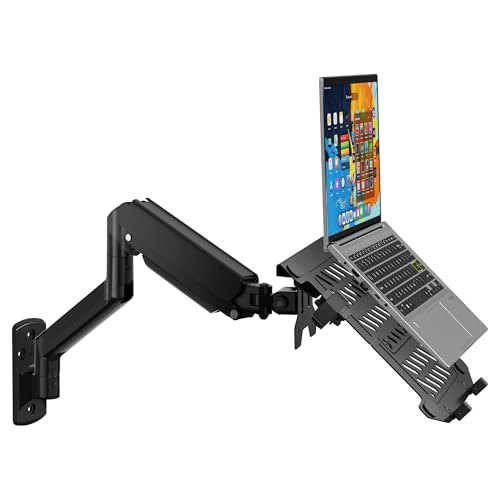
The WALI GSWM001LP supports laptops from 10 to 17 inches and 17 to 32 inches monitors, with a robust weight capacity of up to 22 lbs. It features a high-grade gas spring arm for adjustable extension from 16.7″ to 19.3″, a wide tilt range (+70°/-45°), and +/-90° swiveling with full 360° rotation. Its space-saving design and versatile mounting offer flexible positioning so you can find the most ergonomic angle for typing and viewing, while keeping your desk clutter-free.
VIVO Height Adjustable Pneumatic Extended Arm Wall Mount

This VIVO MOUNT-V001GL is a counter-balance laptop wall mount with a ventilated, adjustable tray designed for laptops up to 15.6 inches and about 9.9 lbs. It offers tool-free height adjustment, a tilt range of +90° to -45°, 180° swivel, and full 360° rotation for diverse viewing angles. The ventilated tray and rubber pads protect devices from scratches while allowing airflow to prevent overheating. It is ideal for users prioritizing an ergonomic setup and easy adjustment without tools.
PUTORSEN 2-in-1 Laptop Wall Mount
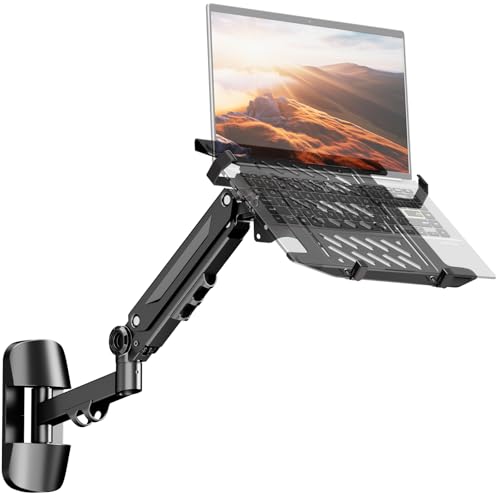
The PUTORSEN 2-in-1 mount supports 10-17″ laptops and 17-40″ screens, with VESA 75×75/100×100 compatibility. Its gas-spring arm offers -90/+90° rotation and -45/+45° tilt across a 21.6″ extension range, enabling ergonomic angles and reduced neck strain. The chassis emphasizes a sturdy, scratch-proof design with rubber pads and vented tray for better cooling. This setup is well-suited for users needing a dual-function mount that accommodates both laptops and larger displays.
WALI Laptop Wall Mount, 2-in-1 Monitor & Laptop Arm
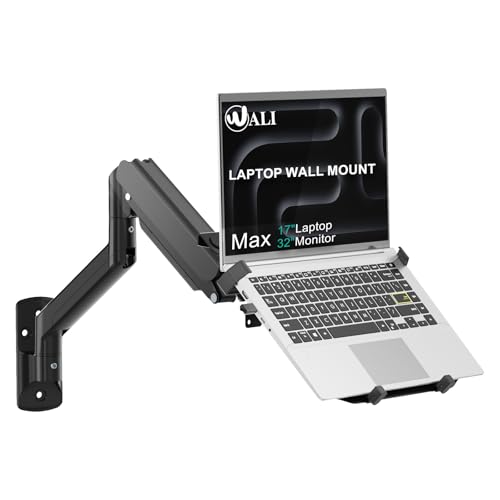
The WALI GSWM001NLP combines monitor and laptop support in a single wall-mount solution. It accommodates 17″-32″ monitors up to 22 lbs and 10″-17″ laptops up to 15.4 lbs, using mounting holes of 75x75mm and 100x100mm. The gas spring arm extends from 16.7″ to 19.3″ with a broad tilt range of +70°/-45°, plus ±90° swivel and 360° rotation. This 2-in-1 design is aimed at users who want to consolidate components while maintaining flexible viewing angles and a tidy workspace.
Buying Guide: Key Purchase Considerations
When choosing a best articulating laptop arm wall mount, consider:
- Compatibility: Verify laptop and monitor size, weight, and VESA compatibility. Many mounts support laptops up to 15-17 inches, some up to 18 inches, and most accept 75×75 or 100×100 mm VESA patterns for monitors.
- Weight Capacity: Ensure the mount can handle your device’s weight, including any added accessories. Overloading can impair movement and safety.
- Motion Range: Look for full-motion capabilities—tilt, swivel, rotation, and extension—to tailor ergonomics for typing, reading, and screen viewing.
- Tray Design: Ventilated and padded trays protect devices from overheating and scratches. Adjustable trays help accommodate various laptop sizes.
- Install Type: Wall-mounted arms free desk space but require secure wall anchoring. Confirm wall type (wood studs, concrete) and included hardware or compatibility with your existing mount.
- Aesthetics And Build: Steel and aluminum builds provide durability. Consider color options that match your setup and any potential desk-to-wall clearance.
- Maintenance: Gas springs and pneumatic arms should move smoothly over time. Check warranty terms for components and moving parts.
- Setup Time: Some models are tool-free or feature simpler clamp systems, while others need more extensive mounting work. Budget time accordingly.
Ergonomics And Use-Cases
Articulating wall mounts are particularly beneficial for users who alternate between keyboard work, coding, design, or multimedia editing. With the right angle and height, you can reduce neck and back strain, improve posture, and maintain better airflow around laptops that struggle with heat during long sessions. For shared spaces or multi-monitor workflows, a dual-function mount (laptop plus monitor) can consolidate devices, keeping the desk surface clear and allowing quick transitions between tasks.
Installation Tips
Prepare a solid wall surface and confirm stud positions or appropriate anchors for concrete walls. Use a level to ensure the arm mounts are even. When attaching a ventilated laptop tray, check for snug clearance along the back edge and ensure straps or pads won’t interfere with ports and cables. After installation, test all movement ranges slowly to confirm stability and alignment before regular use.
What To Watch For In A Purchase
Key indicators of a quality articulating wall mount include solid metal construction, a smooth gas or pneumatic spring mechanism, wide rotational freedom, and protective padding on contact surfaces. Transparent weight ratings, clear installation instructions, and reliable seller support also help ensure lasting performance. If you plan to upgrade multiple desks or workstations, consider a model with higher weight limits and broader extension to future-proof your setup.